
The Expert Guide to Sage Accounts Payable Automation 2026

Accounts payable is changing at lightning speed, thanks to a surge in digital innovation. Manual tasks and paper-laden processes are quickly becoming things of the past.
In 2026, sage accounts payable automation stands out as a powerful solution for finance teams aiming to stay ahead. This guide is designed to help CFOs, AP managers, and business leaders confidently navigate the evolving landscape.
Inside, you’ll find practical strategies and expert insights on automation fundamentals, Sage’s latest features, seamless integrations, compliance, and proven ROI.
Ready to streamline your workflows, boost accuracy, and future-proof your AP process? Let’s dive in.
Understanding Accounts Payable Automation in 2026
The world of accounts payable is transforming faster than most finance teams ever imagined. Outdated paper-based routines are giving way to intelligent, fully digital systems that do much more than just pay bills. In 2026, sage accounts payable automation is at the heart of this evolution, offering businesses a competitive edge with smarter, faster, and more secure processes.
The Evolution of Accounts Payable Processes
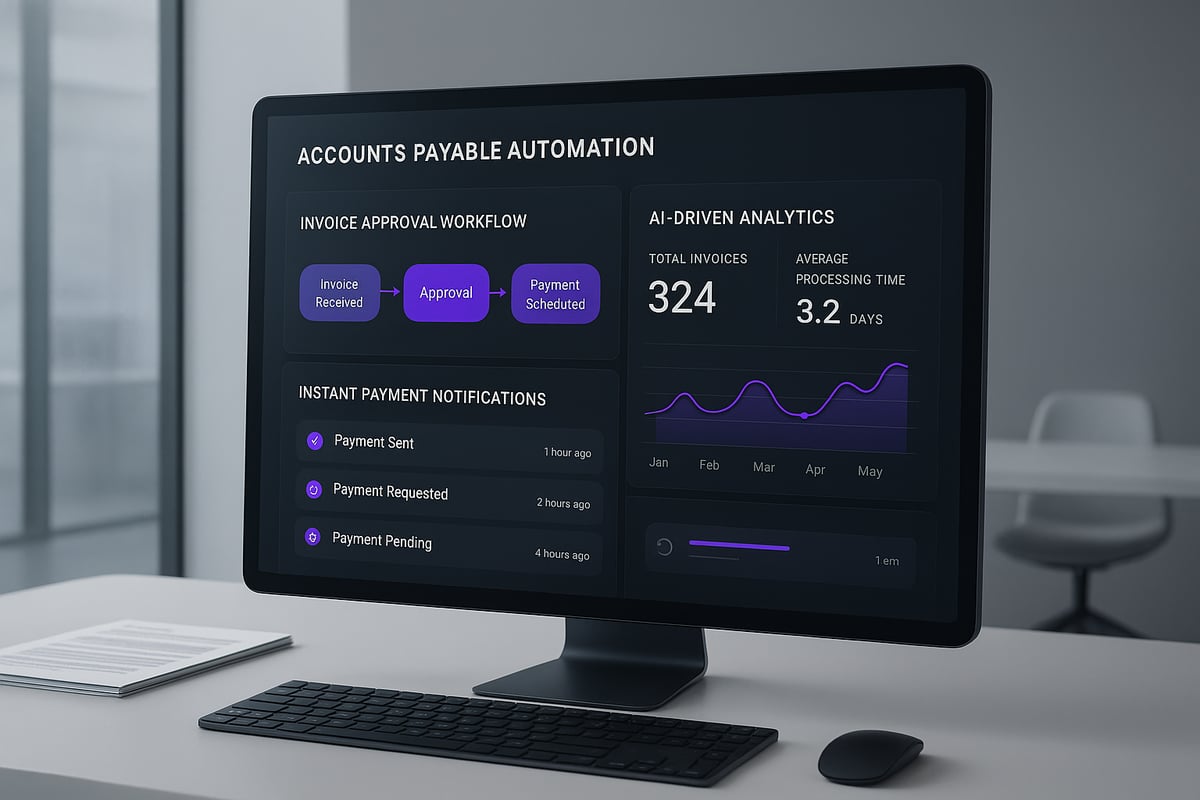
Manual accounts payable once meant endless paperwork, slow approvals, and a constant risk of human error. Teams struggled with misplaced invoices, duplicate payments, and delays that hurt supplier relationships. Fast forward to 2026, and sage accounts payable automation brings AI-driven data capture, real-time processing, and predictive analytics to the table.
Industry data shows that over 60% of businesses are planning full AP automation by 2026, according to AP Automation Trends 2025. A mid-sized EU company, for example, reduced its invoice cycle from 20 days to just 2 days after switching to automation. These gains are setting a new industry standard, making manual AP a thing of the past.
Why Sage Leads in AP Automation
Sage has built a strong reputation as a leader in accounting software, and its approach to sage accounts payable automation is no exception. Sage’s platform stands out for features like AI-powered invoice recognition, customizable smart workflows, and mobile approvals that empower remote teams.
Integration is a major strength. Sage connects seamlessly with ERP systems, banking platforms, and payment networks. Compared to SAP Concur and Oracle NetSuite, Sage consistently receives high marks for user satisfaction and ease of use.
| Feature | Sage | SAP Concur | Oracle NetSuite |
|---|---|---|---|
| AI Invoice Recognition | Yes | Yes | Yes |
| Mobile Approvals | Yes | Limited | Yes |
| Integration Flexibility | High | Moderate | High |
| User Satisfaction (2025) | 4.5/5 | 4.2/5 | 4.1/5 |
Finance teams appreciate that Sage makes AP automation accessible and scalable for organizations of any size.
Key Benefits of Automating AP with Sage
The true value of sage accounts payable automation lies in measurable results. Companies report up to 80% lower invoice processing costs after implementation. Automation also improves accuracy, dramatically reducing costly errors and fraudulent transactions.
Faster processing times mean suppliers are paid quickly, which strengthens relationships and may even unlock early payment discounts. Finance leaders gain real-time visibility into cash flow and compliance with regulatory requirements becomes much easier. Sage’s audit-ready reporting and digital recordkeeping help organizations stay ahead of audits and inspections.
Challenges and Myths in AP Automation
Despite the clear advantages, some myths still hold finance teams back from adopting sage accounts payable automation. Common misconceptions include fears about complexity or loss of control. In reality, modern solutions are intuitive, with robust controls and permissions.
Change management is another hurdle. Staff may resist new technology or worry about job security. Data migration from legacy systems can seem daunting, but with careful planning and expert support, it is manageable. Security concerns, especially around sensitive financial data, are valid, but Sage employs advanced encryption and monitoring to protect against risks.
One multi-entity EU firm overcame initial skepticism by piloting automation in one department, then expanding company-wide after seeing immediate efficiency gains.
Step-by-Step Guide to Implementing Sage Accounts Payable Automation
Embarking on sage accounts payable automation in 2026 is a strategic investment that demands a practical, stepwise approach. Whether you aim to eliminate bottlenecks, boost accuracy, or achieve compliance, a structured implementation ensures your AP transformation delivers measurable results. This guide walks you through each critical phase, from initial assessment to continuous improvement, using real-world insights and proven strategies.
Assessing Your Current AP Workflow
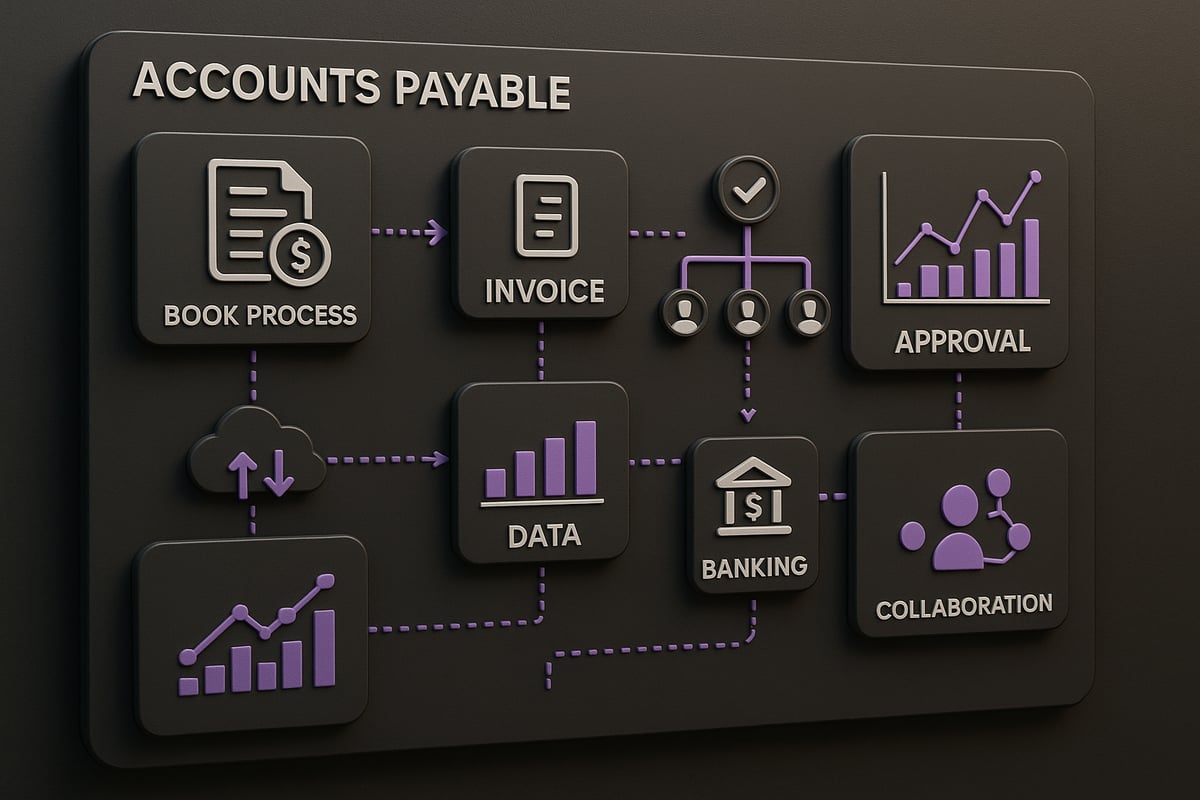
The first step in sage accounts payable automation is a thorough evaluation of your existing processes. Map out every step, from invoice receipt to payment execution. Identify manual touchpoints, such as paper-based invoice handling or email approvals, that often lead to delays or errors.
Gather baseline metrics—cycle time, cost per invoice, error rate—to pinpoint inefficiencies. Interview stakeholders from finance, procurement, and IT for their perspectives on pain points. For decentralized AP teams, this assessment often uncovers duplicated effort and communication gaps.
For additional strategies and best practices on optimizing your workflow, visit Improving Accounts Payable Process. This groundwork ensures your automation journey starts with clarity and purpose.
Setting Clear Objectives and Success Metrics
Define what you want to achieve with sage accounts payable automation. Are you seeking faster invoice approvals, reduced manual errors, or enhanced regulatory compliance? Set specific, measurable goals tied to your organization’s broader digital transformation.
Key performance indicators (KPIs) should include invoice cycle time, approval rates, and exception handling frequency. Benchmark these against industry standards to set realistic targets. Consider aiming for a 90 percent touchless invoice processing rate or cutting approval times in half.
Involve leadership early to align automation objectives with business strategy. This alignment drives adoption and keeps the project on track. Clear metrics also enable you to quantify ROI and justify further investment.
Choosing the Right Sage Solution and Modules
Selecting the optimal Sage platform for your needs is central to successful sage accounts payable automation. Evaluate options like Sage Intacct, Sage 200, and Sage X3, each offering unique strengths for different business sizes and industries.
Compare features such as optical character recognition (OCR) for invoice capture, workflow automation, mobile approvals, and advanced analytics. Assess add-ons like e-invoicing and payment gateways for seamless end-to-end automation.
Scalability is vital for multi-entity or international operations. For example, a fast-growing SME may choose Sage Intacct for its cloud-native flexibility and deep integration capabilities. Use a table to compare core features, helping stakeholders make informed decisions:
| Feature | Sage Intacct | Sage 200 | Sage X3 |
|---|---|---|---|
| Cloud-based | Yes | Yes | Yes |
| Multi-entity | Yes | Limited | Yes |
| Advanced analytics | Yes | Basic | Yes |
| Mobile approvals | Yes | Yes | Yes |
Preparing for Implementation: Data, People, and Processes
Preparation is the backbone of sage accounts payable automation. Start by cleansing your data—remove duplicates, standardize vendor information, and resolve missing fields. Plan your data migration carefully to avoid costly errors during go-live.
Train your staff on the new system, focusing on both technical skills and process changes. Address resistance by involving team members in the redesign of workflows, such as standardizing approval chains and exception handling.
Build a cross-functional project team with representation from finance, IT, and procurement. Set a realistic timeline, and consider running a pilot program to iron out issues before full-scale rollout. This approach minimizes disruption and builds confidence across the organization.
Configuration and Integration with Existing Systems
Customizing sage accounts payable automation to fit your business is essential. Configure workflows and approval hierarchies directly in Sage, aligning them with your internal controls. Integrate Sage with your ERP, CRM, and payment platforms using robust APIs for seamless data flow.
Middleware solutions can address compatibility challenges, bridging gaps between legacy systems and cloud modules. Rigorously test integration points—simulate real transactions, validate data accuracy, and resolve any failures before launch.
A practical example: linking Sage AP to a banking API enables instant, error-free payouts, transforming what was once a manual, error-prone process into a fully automated, auditable workflow.
Go-Live, Monitoring, and Continuous Improvement
The go-live phase of sage accounts payable automation is when planning meets reality. Use a detailed checklist covering user access, permissions, and test transactions. Monitor KPIs closely in the first weeks—are invoices processed faster, are errors dropping, are suppliers satisfied?
Gather user feedback through surveys and team meetings. Address early issues swiftly, and adjust processes as needed. Schedule quarterly reviews to assess progress and identify further optimization opportunities.
One mid-sized business reported achieving 99 percent invoice accuracy just three months after implementing Sage AP automation. Continuous improvement ensures your system adapts to evolving business needs, keeping your AP function efficient and future-ready.
Advanced Integration: Connecting Sage AP Automation with Banking and Payment Platforms
The landscape for sage accounts payable automation is rapidly shifting as finance teams demand not just digital efficiency, but also seamless, secure payment execution. In 2026, advanced integration between Sage AP platforms, banks, and payment providers is the key to true end-to-end automation. Let’s explore how these connections are transforming AP and what you need to know to stay ahead.
The Importance of Seamless Payment Integration
Modern sage accounts payable automation no longer stops at invoice approval. The real value is unlocked when payments flow directly from your AP system to your suppliers’ bank accounts, without manual intervention.
This integration streamlines the full AP lifecycle. Teams save time by removing duplicate data entry, avoid late fees, and strengthen supplier trust with on-time payments. According to Ardent Partners, 75 percent of AP leaders now rank payment integration as their highest priority.
Consider a pan-European business that previously ran weekly batch payments. By connecting Sage to their banking platforms, they now execute payments daily with a single click, improving cash flow and reducing supplier queries.
Integrating Sage with Modern Banking APIs
Open Banking and PSD2 regulations have made API-driven bank integration a reality across the EU. By linking sage accounts payable automation with these APIs, companies unlock real-time payment initiation, instant reconciliation, and improved fraud protection.
Technical teams must ensure API security, using encryption and robust authentication. Data mapping between Sage and banking fields is crucial for accurate transfers. Sandbox testing helps resolve integration issues before going live.
One practical example: a finance team sets up Sage to automatically trigger supplier payouts via their bank’s API as soon as invoices are approved. This not only saves hours each week but also allows for detailed tracking of every transaction.
Leveraging Payment Platforms for Efficiency and Security
Payment platforms offer additional layers of efficiency and control for sage accounts payable automation, especially when handling bulk or multi-currency payouts. Unlike traditional bank transfers, these platforms can automate mass payments, enforce compliance rules, and reduce risk of human error.
Key features include bulk upload of payment files, real-time status updates, and fraud prevention tools. Many platforms also provide multi-currency support, ideal for businesses with international suppliers.
For example, a company paying hundreds of contractors across borders can automate the entire payout process, ensure regulatory compliance, and gain full visibility into each transaction. To learn more about integrating such payment platforms, visit this guide on International Money Transfer Software.
How Fintech Solutions Like Payoro Complement Sage AP Automation
Fintechs like Payoro are bridging the gap between sage accounts payable automation and the demands of real-time, borderless payments. Payoro offers instant, 24/7 payouts, seamless API integration, and coverage across 80+ countries.
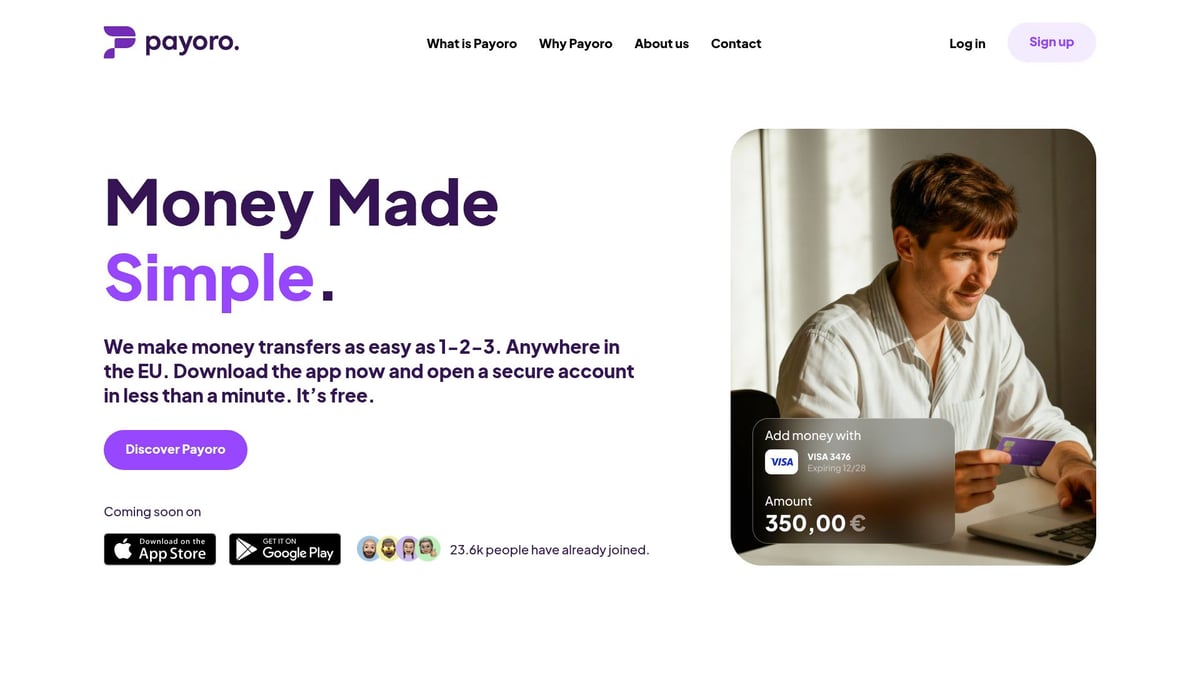
Businesses use Payoro to trigger supplier and contractor payments directly from Sage, eliminating delays and reducing administrative workload. Benefits include unified management of fiat and crypto funds, transparent fee structures, and enhanced security.
Picture a Sage-powered SME processing bulk payments to partners in multiple countries. With Payoro, funds arrive instantly, reconciliation is automated, and there are no monthly fees. This level of integration means finance teams can focus on strategy, not paperwork.
Compliance, Security, and Risk Management in Automated AP
In 2026, compliance, security, and risk management stand at the heart of every successful sage accounts payable automation initiative. With evolving regulations and sophisticated cyber threats, finance teams must adopt a proactive approach to safeguarding their AP workflows. Let’s break down the essentials for future-proofing your AP automation strategy.
Navigating Regulatory Compliance in 2026
The regulatory landscape for accounts payable is rapidly changing. New e-invoicing mandates, stricter GDPR enforcement, and complex local tax laws are redefining compliance expectations. With sage accounts payable automation, businesses can automate VAT calculations, maintain digital audit trails, and ensure document retention meets regional standards.
Sage’s compliance toolkit goes beyond the basics. Features like automated VAT handling, built-in audit trails, and real-time reporting make it easier for organizations to adapt to new rules. According to EY, 80% of EU companies rate compliance as their top AP automation driver. For multi-country businesses, this means less manual effort and reduced risk of non-compliance.
A mid-sized firm operating across several EU countries used Sage to centralize AP data and automate compliance reporting. This move cut their regulatory reporting time by 70%. For details on specific compliance features, the Sage Intacct AP Automation Features datasheet offers a comprehensive overview.
Security Considerations for AP Automation
Security remains a top concern as AP processes digitize. Common threats include phishing, invoice fraud, and data breaches. With sage accounts payable automation, organizations benefit from multi-layered security, including encryption, strict user permissions, and AI-driven anomaly detection.
Best practices start with regular security audits, training for staff on fraud awareness, and enforcing multi-factor authentication. Sage’s security architecture is built to address these risks, using advanced encryption and role-based access to restrict sensitive data.
One global business prevented a six-figure payment fraud by leveraging Sage’s real-time anomaly alerts. The system flagged an unusual supplier bank detail change, prompting a manual review before payment. This kind of automated oversight is now essential for finance teams.
Managing Risk in Automated AP Workflows
Automating AP introduces new process risks, from duplicate payments to unauthorized approvals. Sage accounts payable automation minimizes these risks with standardized workflows, robust exception handling, and instant alerts for suspicious activity.
Mitigating risk starts with mapping potential failure points. Duplicate invoice detection, approval hierarchies, and escalation protocols help prevent costly errors. Real-time monitoring tools, often powered by AI, flag transactions that deviate from normal patterns. For more on how artificial intelligence is transforming AP risk management, check out AI Impact on AP Processes.
A finance leader at a multi-entity organization used AI-driven tools to catch duplicate payments before they left the account. This approach saved thousands annually and built confidence in the automation process.

Audit Readiness and Digital Recordkeeping
Audit readiness is a major benefit of sage accounts payable automation. Digital audit trails provide full transparency, making it easy to trace every action from invoice receipt to payment. Automated document retention ensures compliance with both internal policies and external regulations.
Cloud-based AP solutions, such as those detailed in Cloud-Based Accounts Payable Solutions, enhance audit preparedness by storing records securely and allowing instant retrieval during tax reviews or compliance audits.
When a tax audit request arrived, one Sage-powered finance team was able to pull up all related invoices and approval histories within minutes. This speed not only impressed auditors but also reduced business disruption. Industry best practices recommend quarterly reviews to keep digital archives organized and searchable.
Measuring ROI and Future Trends in Sage AP Automation
Measuring the value of sage accounts payable automation is essential for validating your investment and guiding future decisions. As the AP landscape moves toward digital maturity, understanding both financial impact and emerging trends helps finance leaders stay ahead.
Calculating the ROI of Sage AP Automation
To determine the true return on investment for sage accounts payable automation, start by measuring both direct and indirect benefits. Direct savings include reduced labor costs, less paper usage, and lower storage expenses. Indirect gains cover fewer errors, early payment discounts, and improved cash flow.
Here is a basic ROI formula you can use:
ROI = (Total Savings - Total Costs) / Total Costs x 100%
For example, a company processing 10,000 invoices yearly might cut costs from €8 to €1.50 per invoice. That is a saving of €65,000 annually. When you add early payment discounts and fewer errors, the value rises even higher.
The market is growing quickly, with the global accounts payable automation market projected to reach $5.44 billion by 2025. This reflects a strong business case for investing in sage accounts payable automation.
Key Metrics to Track Post-Implementation
Tracking the right metrics after implementing sage accounts payable automation is crucial for continuous improvement. Start by establishing a baseline before automation, then compare results over time.
Key metrics include:
- Invoice cycle time (days from receipt to payment)
- Cost per invoice processed
- Error rate (number of exceptions per 1,000 invoices)
- Approval latency (average time per approval step)
- Supplier satisfaction score
For example, many businesses report a 30% improvement in on-time supplier payments after deploying sage accounts payable automation. Monitoring these KPIs ensures you capture the full value and identify opportunities for further optimization.
Trends Shaping AP Automation in 2026 and Beyond
Several trends are shaping the future of sage accounts payable automation. Artificial intelligence (AI) and machine learning enable predictive analytics, helping teams spot bottlenecks and forecast cash needs. Blockchain technology is gaining traction for secure, transparent transactions and faster reconciliation.
E-invoicing mandates are expanding across the EU, making compliance easier through automation. The role of fintech and payment platforms is also growing, bridging gaps between AP systems and banking infrastructure. For a deeper dive into these trends, see Billing Automation Trends and Tools.
Finance teams adopting sage accounts payable automation today are well positioned to leverage these innovations and keep pace with regulatory and market changes.
Preparing for the Next Wave of Digital Transformation
To future-proof your AP operations, adopt a mindset of continuous improvement. Regularly review workflows, update technology, and seek feedback from users. Upskill your finance team in automation, analytics, and digital tools to unlock new efficiencies.
Partnering closely with IT and fintech providers helps you stay flexible and ready for the next wave of digital transformation. For example, adopting AI-powered anomaly detection tools within sage accounts payable automation can reduce fraud risk and speed up exception handling.
Staying proactive ensures your AP processes remain resilient, scalable, and competitive in a rapidly evolving business environment.
Expert Insights: Lessons Learned from Real-World Sage AP Automation Projects
Finance leaders who have implemented sage accounts payable automation share several key lessons. Common pitfalls include underestimating change management needs or failing to standardize processes before go-live. Successful projects focus on clear communication, thorough training, and phased rollouts.
One multinational firm achieved 99% invoice accuracy within three months by investing in robust data cleansing and ongoing staff support. High adoption rates often come from involving end users early and celebrating quick wins.
Scaling sage accounts payable automation across multiple entities or countries requires careful planning, but the rewards include unified reporting, stronger controls, and faster payments. For CFOs and AP managers in 2026, the path to success lies in staying agile, learning from peers, and leveraging sage accounts payable automation as a catalyst for broader digital transformation.
As you explore the possibilities of Sage accounts payable automation in 2026, it’s clear that integrating the right fintech solutions can truly accelerate your digital transformation. With secure, real time transactions and seamless API connectivity, you can simplify complex workflows and empower your finance team to work smarter. If you’re ready to take the next step—whether you have questions about implementation or want tailored advice on streamlining payments across borders—we’re here to help. Let’s future proof your AP processes together. Contact sales
Share article on


Related articles
See all articles Instant Payouts: Why Speed Matters for Platform Retention
Platforms offering instant payouts see 20-35% higher seller retention. Learn how instant payout rails work and how to...

What Is a Payout API and How Does It Work?
A payout API lets your platform send money to recipients automatically. Learn how the flow works, who needs...
What Are Payment Rails? A Guide to Faster, Smarter Payouts
Payment rails determine how fast and cheap your payouts arrive. Learn about SEPA, SWIFT, card networks, and blockchain...
How to Reduce Cross-Border Payout Costs for Your Business
Cross-border payouts drain margins through hidden fees, FX markups, and slow settlement. Learn practical strategies to cut costs...